 1544081d58
Upstream has released updates that appear to apply and compile correctly

Paper Changes:
PaperMC/Paper@7fbb827 Finish API patches
PaperMC/Paper@8a37f93 62
PaperMC/Paper@2055809 117
PaperMC/Paper@0b75522 194
PaperMC/Paper@ec05cb8 279
PaperMC/Paper@0bc9aee 385
PaperMC/Paper@27e29cc 487/1053
PaperMC/Paper@083bd9e 531/1053
PaperMC/Paper@ed2ea45 538
PaperMC/Paper@ba163e1 585/1053
PaperMC/Paper@8731266 650/1053
PaperMC/Paper@52b49fb 788/1053
PaperMC/Paper@33b36cd update some patches
PaperMC/Paper@14c0336 922
PaperMC/Paper@a399f23 956
PaperMC/Paper@4140de2 960
PaperMC/Paper@6d4e235 988
PaperMC/Paper@6a34750 Move unapplied patches to the back
PaperMC/Paper@3c04f9f Fix a few compile errors
PaperMC/Paper@0d3ce2d Fix more compile issues
PaperMC/Paper@a308c7c Fix more compile issues
PaperMC/Paper@69d1d0a Pretend to fix compile errors
PaperMC/Paper@547f09d Some work on the ItemMend events
PaperMC/Paper@184a943 Adopt previous commit changes in API
PaperMC/Paper@5442bff Make it compile
PaperMC/Paper@038f8d9 Fixup and deprecate player profiles in ping event
PaperMC/Paper@66f7b67 Fix body equipmentslot and effect enum
PaperMC/Paper@38b3182 Updated Upstream (Bukkit/CraftBukkit)
PaperMC/Paper@df633e5 DataConverter 1.21
PaperMC/Paper@f569389 Update ConcurrentUtil

Purpur






Purpur is a drop-in replacement for Paper servers designed for configurability, new fun and exciting gameplay features, and performance built on top of Paper.
Contact
Join us on Discord:

Downloads
Downloads can be obtained from the downloads page or the downloads API.

Downloads API endpoints:
- List versions of Minecraft with builds available:
https://api.purpurmc.org/v2/purpur - List builds for a version of Minecraft:
https://api.purpurmc.org/v2/purpur/<version> - Download a specific build of a specific version:
https://api.purpurmc.org/v2/purpur/<version>/<build>/download - Download the latest build for a version of Minecraft:
https://api.purpurmc.org/v2/purpur/<version>/latest/download
License
All patches are licensed under the MIT license, unless otherwise noted in the patch headers.
See PaperMC/Paper, and PaperMC/Paperweight for the license of material used by this project.
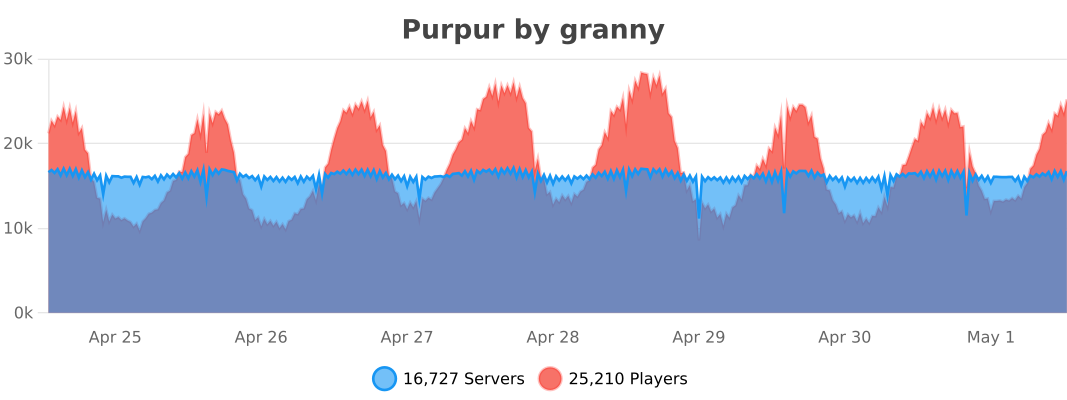
bStats
API
Javadoc
Dependency Information
Maven
<repository>
    <id>purpur</id>
    <url>https://repo.purpurmc.org/snapshots</url>
</repository>
<dependency>
    <groupId>org.purpurmc.purpur</groupId>
    <artifactId>purpur-api</artifactId>
    <version>1.21-R0.1-SNAPSHOT</version>
    <scope>provided</scope>
</dependency>
Gradle
repositories {
    maven("https://repo.purpurmc.org/snapshots")
}
dependencies {
    compileOnly("org.purpurmc.purpur:purpur-api:1.21-R0.1-SNAPSHOT")
}
Yes, this also includes all API provided by Paper, Spigot, and Bukkit.
Building and setting up
Initial setup
First, clone this repository. Do not download it.
Then run the following command in the root directory:
./gradlew applyPatches
The project is now ready for use in your IDE.
Creating a patch
Patches are effectively just commits in either Purpur-API or Purpur-Server.
To create one, just add a commit to either repo and run ./gradlew rebuildPatches, and a
patch will be placed in the patches folder. Modifying commits will also modify its
corresponding patch file.
See CONTRIBUTING.md for more detailed information.
Compiling
Use the command ./gradlew build to build the API and server. Compiled JARs
will be placed under Purpur-API/build/libs and Purpur-Server/build/libs.
These JARs are not used to start a server.
To compile a server-ready purpurclip jar, run ./gradlew createMojmapBundlerJar.
To install the purpur-api and purpur dependencies to your local Maven repo, run ./gradlew publishToMavenLocal. The compiled purpurclip jar will be in build/libs/ not Purpur-Server/build/libs.
Special Thanks To:
YourKit
YourKit, makers of the outstanding Java profiler, support open source projects of all kinds with their full-featured Java and .NET application profilers. We thank them for allowing us to use their software so we can make Purpur the best it can be. |
JetBrains
JetBrains, creators of the IntelliJ IDEA, supports Purpur with one of their Open Source Licenses. IntelliJ IDEA is the recommended IDE for working with Purpur, and most of the Purpur team uses it. |

