 47e758fb34
Upstream has released updates that appear to apply and compile correctly

Paper Changes:
PaperMC/Paper@d0e808f4 Move player to correct position in vehicle move packet handler
PaperMC/Paper@46b4b0b8 Improve keepalive ping system
PaperMC/Paper@38c1ddb5 Add and use FeatureHooks.getAllEntities
PaperMC/Paper@2f083acb Ensure player entity schedulers are ticked when they are dead
PaperMC/Paper@7c90c7c4 Optimise EntityScheduler ticking
PaperMC/Paper@aa6ee44a Re-add global region scheduler tick erroneously removed in last commit
PaperMC/Paper@d7510efc Fix #12722 (#12726)
PaperMC/Paper@0caf75f8 Fix #12721 (#12725)
PaperMC/Paper@bee28792 Adventure 4.23.0 (#12690)
PaperMC/Paper@692e93a9 Fix MC-299110
PaperMC/Paper@ea10fa4a Don't mutate the position of Items for MC-4 Fix (#12702)
PaperMC/Paper@aa6cd74c Remove unnecesary item check for ServerboundPlayerActionPacket RELEASE_USE_ITEM (#12668)
PaperMC/Paper@c9e89f49 Expose arrow velocity in EntityShootBowEvent for mobs (#12688)
PaperMC/Paper@7ec3174a Jump out of experimental phase
PaperMC/Paper@4e1a2555 Update try catch for command handling

Purpur






Purpur is a drop-in replacement for Paper servers designed for configurability, new fun and exciting gameplay features, and performance built on top of Paper.
Contact
Join us on Discord:

Downloads
Downloads can be obtained from the downloads page or the downloads API.

Downloads API endpoints:
- List versions of Minecraft with builds available:
https://api.purpurmc.org/v2/purpur - List builds for a version of Minecraft:
https://api.purpurmc.org/v2/purpur/<version> - Download a specific build of a specific version:
https://api.purpurmc.org/v2/purpur/<version>/<build>/download - Download the latest build for a version of Minecraft:
https://api.purpurmc.org/v2/purpur/<version>/latest/download
License
All patches are licensed under the MIT license, unless otherwise noted in the patch headers.
See PaperMC/Paper, and PaperMC/Paperweight for the license of material used by this project.
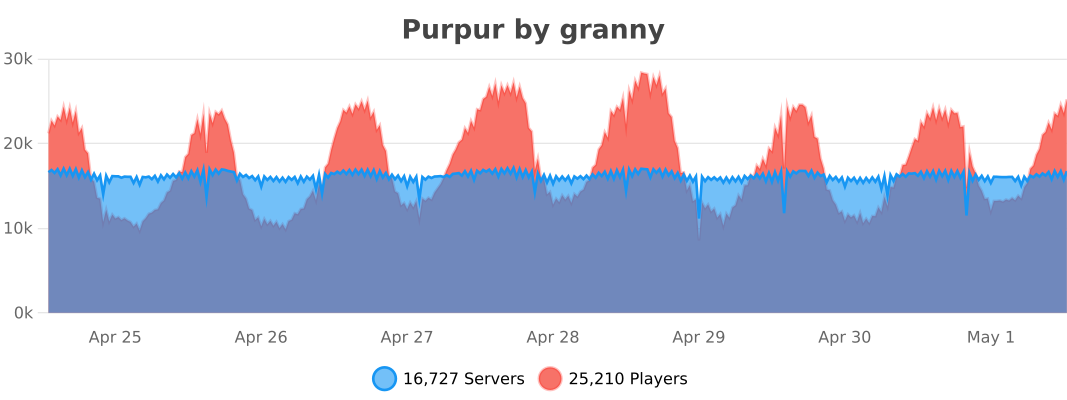
bStats
API
Javadoc
Dependency Information
Maven
<repository>
    <id>purpur</id>
    <url>https://repo.purpurmc.org/snapshots</url>
</repository>
<dependency>
    <groupId>org.purpurmc.purpur</groupId>
    <artifactId>purpur-api</artifactId>
    <version>1.21.6-R0.1-SNAPSHOT</version>
    <scope>provided</scope>
</dependency>
Gradle
repositories {
    maven("https://repo.purpurmc.org/snapshots")
}
dependencies {
    compileOnly("org.purpurmc.purpur:purpur-api:1.21.6-R0.1-SNAPSHOT")
}
Yes, this also includes all API provided by Paper, Spigot, and Bukkit.
Building and setting up
Initial setup
First, clone this repository. Do not download it.
Then run the following command in the root directory:
./gradlew applyAllPatches
The project is now ready for use in your IDE.
Creating a patch
See CONTRIBUTING.md.
Compiling
Use the command ./gradlew build to build the API and server. Compiled JARs
will be placed under purpur-api/build/libs and purpur-server/build/libs.
These JARs are not used to start a server.
To compile a server-ready purpurclip jar, run ./gradlew createMojmapBundlerJar.
To install the purpur-api and purpur dependencies to your local Maven repo, run ./gradlew publishToMavenLocal. The compiled purpurclip jar will be in purpur-server/build/libs.
Special Thanks To:
YourKit
YourKit, makers of the outstanding Java profiler, support open source projects of all kinds with their full-featured Java and .NET application profilers. We thank them for allowing us to use their software so we can make Purpur the best it can be. |
JetBrains
JetBrains, creators of the IntelliJ IDEA, supports Purpur with one of their Open Source Licenses. IntelliJ IDEA is the recommended IDE for working with Purpur, and most of the Purpur team uses it. |

